

Download Amazon Prime Video APK – Streaming, Originals, Offline Viewing
Overview
Amazon Prime Video APK delivers a robust platform for streaming a wide array of video content directly to mobile devices. Designed primarily for Android users, the application provides access to original films, critically acclaimed TV series, live sports events, and a growing library of international productions. Its core purpose is to serve as a centralized hub for entertainment, enabling users to stream or download content for offline viewing.
The app targets cinephiles, casual viewers, and sports enthusiasts who value diverse programming and personalized recommendations. While the developer, Amazon, is widely recognized for its e-commerce and cloud services, specific details about the app’s development team were not provided. Real-world usage scenarios include watching original series like The Lord of the Rings: The Rings of Power or The Boys during commutes, rewatching favorite episodes on a flight, or hosting virtual watch parties with friends across time zones.
The app also supports casting to larger screens via Chromecast or Fire TV, enhancing the home entertainment experience. Despite regional restrictions on certain titles, the service continues to expand its global footprint through exclusive content and localized originals such as Mirzapur and Last One Laughing. The absence of availability on Google Play and the need to install from the Amazon Appstore present a unique distribution model, reflecting Amazon’s ecosystem strategy.
Key Features & Capabilities
- Original Content Library: Access to Amazon’s own productions, including award-winning series and films, offering a distinct alternative to mainstream platforms.
- Offline Viewing: Download episodes and movies for playback without an internet connection, ideal for travel or low-connectivity environments.
- Personalized Recommendations: Uses intelligent algorithms to suggest content based on viewing habits, improving discovery over time.
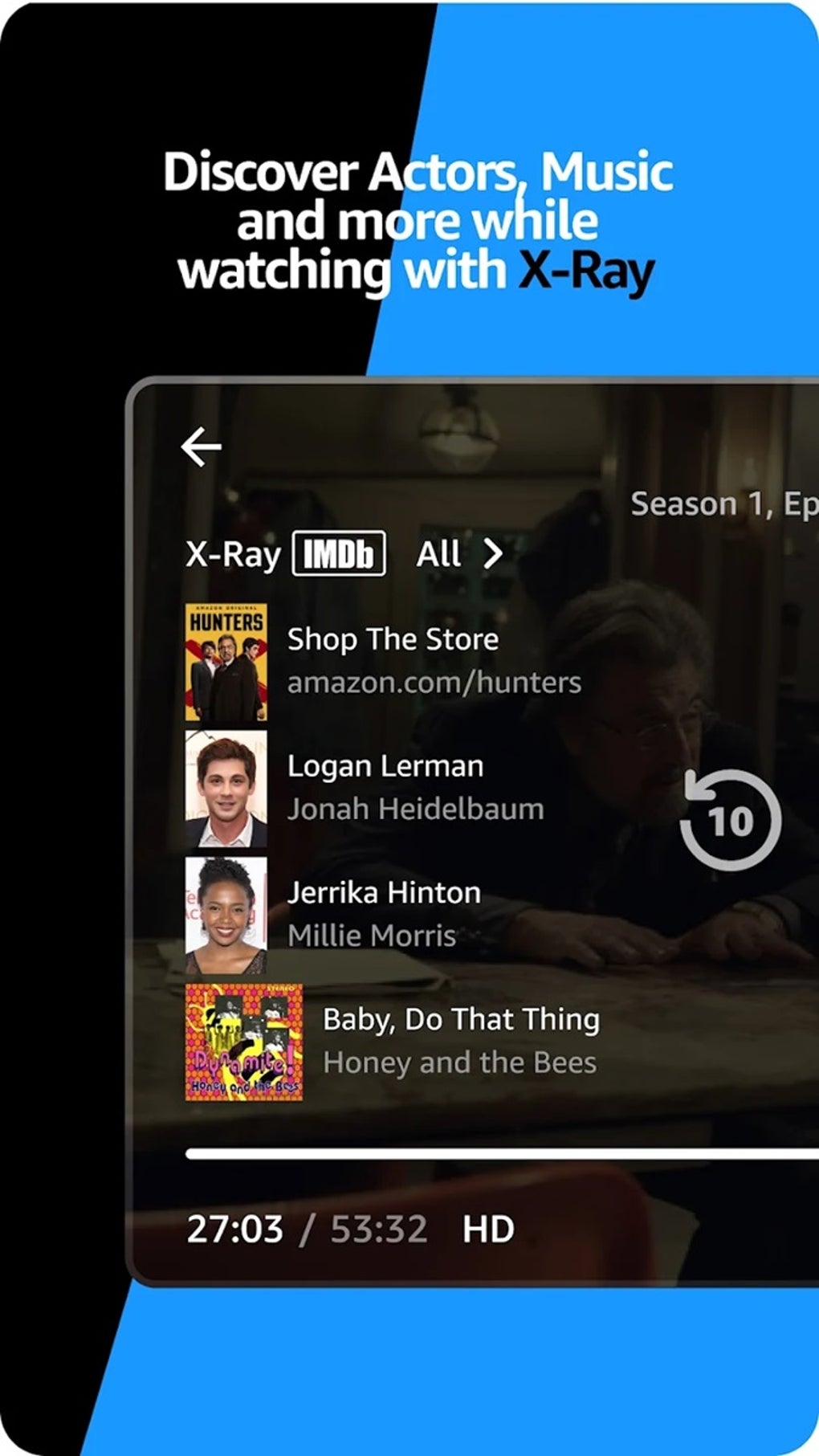
- IMDb-Powered X-Ray Feature: Provides real-time trivia, cast details, and behind-the-scenes content during playback, enriching the viewing experience.
- Multi-Device Casting: Supports casting to Chromecast and Fire TV devices, enabling seamless playback on large screens.
- Online Watch Parties: Allows users to synchronize playback with friends remotely, creating shared viewing experiences despite physical distance.
- Subscription Management: A dedicated tab enables users to view active add-ons and explore new subscriptions like Starz or Crunchyroll.
- Content Differentiation: Clearly marks free Prime content versus paid add-ons using visual indicators such as logos and a yellow shopping bag icon.
These features collectively enhance usability and engagement. For example, downloading content before a long trip ensures uninterrupted entertainment. The X-Ray feature adds educational and interactive value during playback, appealing to detail-oriented viewers. The integration of generative AI in the “Made For You” section improves content relevance, helping users discover titles aligned with their preferences. However, users should note that regional restrictions may limit access to certain titles, which can affect the overall content availability depending on location.
User Interface, Workflow & Performance
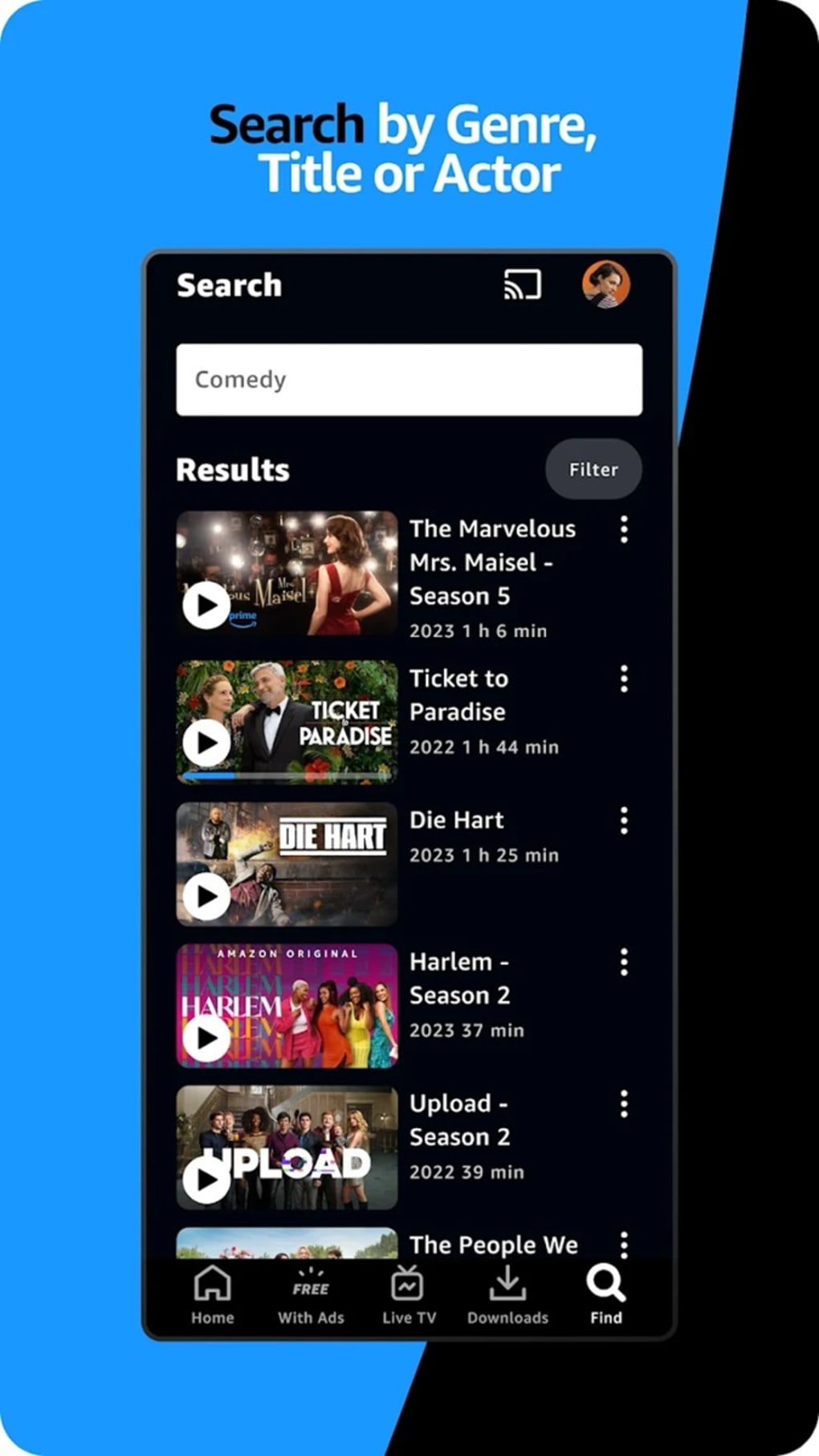
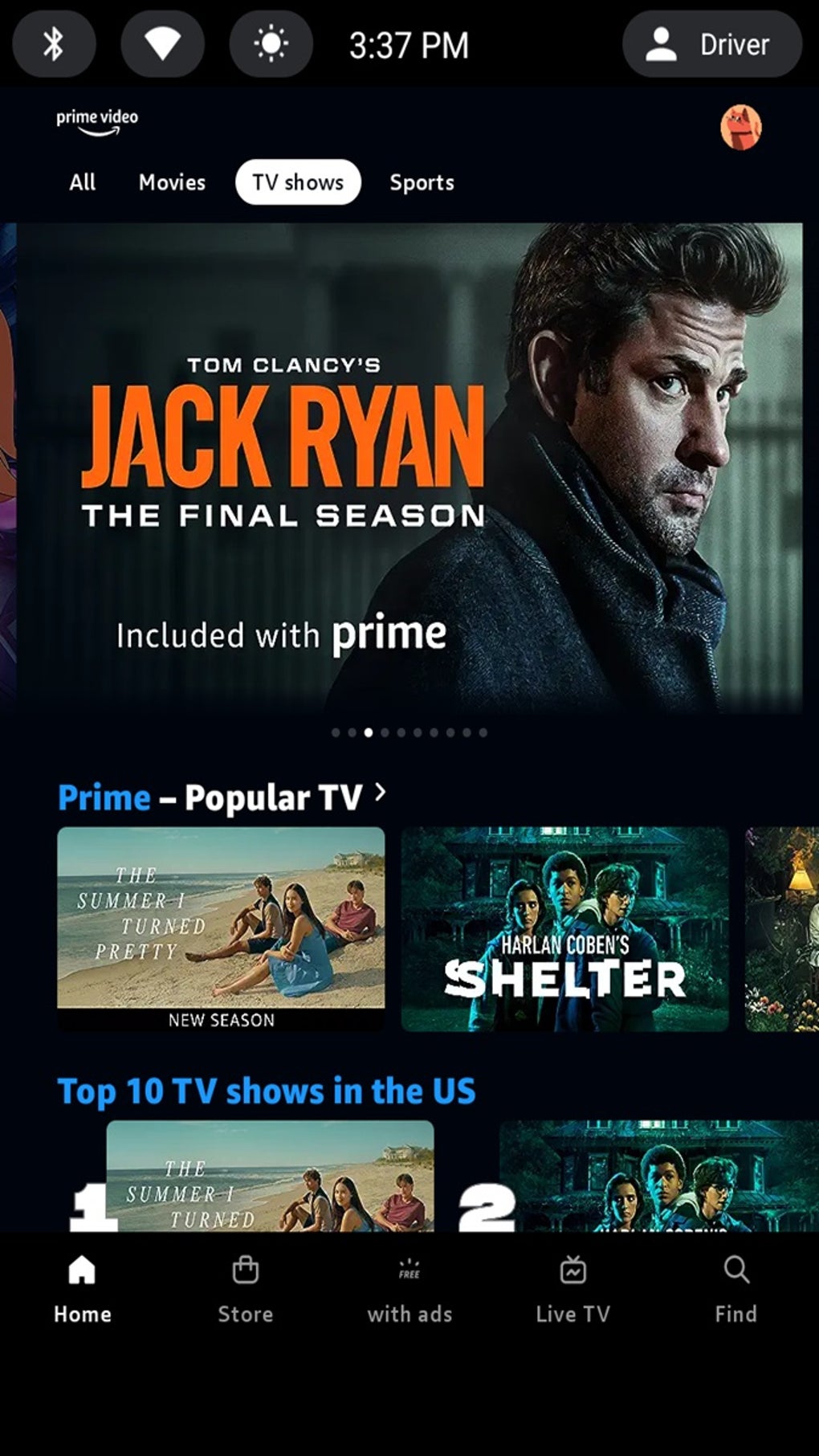
The user interface of Amazon Prime Video APK has undergone a significant visual and functional redesign, emphasizing clarity and ease of navigation. The layout features a categorized navigation bar with tabs for Home, Movies, TV Shows, Sports, and Live TV, streamlining access to major content types. The inclusion of a dedicated Subscription tab enhances user control over add-on services.
The homepage now includes a dynamic hero rotator that highlights featured content, promotions, and new releases, improving content visibility. Page transitions are described as smooth, contributing to a more fluid browsing experience. Personalized recommendations are prominently displayed in the “Made For You” section, with content tailored using generative AI.
The app distinguishes between Prime-eligible content and paid add-ons through clear visual cues, reducing confusion during selection. Workflow efficiency is enhanced by intuitive layout design and consistent iconography. Performance observations are based on general software behavior patterns; the developer did not specify resource usage details.
Stability appears consistent with typical streaming applications, though actual CPU and RAM behavior were not disclosed. The app functions reliably across supported devices, though users may encounter minor delays during initial loading on older hardware.
Compatibility & System Requirements
Amazon Prime Video APK is designed for Android devices and is distributed exclusively through the Amazon Appstore. The application is not available on Google Play, requiring users to manually enable “Install from unknown sources” in device settings to proceed with installation. The exact system requirements were not listed by the developer, so compatibility with specific Android versions or hardware configurations remains unclear.
Installation size and version details were not provided. Users should ensure their device meets the general requirements for running modern streaming applications, including sufficient storage space and a stable internet connection. The developer did not specify whether the app supports tablets, wearables, or other form factors.
Platform compatibility information is limited to Android, and no details were shared regarding support for Windows, Mac, or other desktop operating systems. For users seeking a desktop experience, alternative methods may be required, though none were documented.
Pros and Cons
Pros
- Extensive library of original and exclusive content
- Supports offline downloads for uninterrupted viewing
- Intuitive navigation with categorized tabs and personalized recommendations
- Offers casting functionality to Chromecast and Fire TV
- Clear visual indicators for free vs. paid content
- Features interactive X-Ray during playback
- Enables remote watch parties for social viewing
Cons
- Not available on Google Play; must install from Amazon Appstore
- Regional restrictions limit access to certain titles
- Exact system requirements and performance data not disclosed
- May require additional setup steps for installation
- Some content requires separate add-on subscriptions
FAQ Section
Is Amazon Prime Video APK available on Google Play?
No, the app is not available on Google Play. It must be downloaded from the Amazon Appstore, which requires enabling installation from unknown sources on Android devices.
Can I watch Amazon Prime Video offline?
Yes, you can download movies and TV episodes for offline viewing. This feature is useful when traveling or in areas with limited internet access.
Does Amazon Prime Video support casting to smart TVs?
Yes, the app supports casting to Chromecast and Fire TV devices, allowing users to stream content on larger screens.
Are all titles available worldwide?
No, some content is subject to regional restrictions due to licensing agreements. Availability may vary depending on your location.
What kind of license does Amazon Prime Video use?
The app operates under a subscription-based model. Users need an active Amazon Prime membership or separate add-on subscriptions for certain content.
Final Thoughts
Amazon Prime Video APK stands out as a compelling alternative in the crowded streaming market, offering a rich selection of original productions, diverse international content, and a refined user experience. Its ability to deliver personalized recommendations, support offline viewing, and enable social streaming makes it a versatile tool for modern viewers. While the exclusion from Google Play and regional content limitations are notable drawbacks, the app’s strengths in content quality and usability outweigh these concerns for many users.
The redesigned interface enhances navigation and accessibility, making it easier than ever to discover new favorites. Whether you're a fan of gripping series, blockbuster films, or live sports, Amazon Prime Video provides a compelling reason to explore beyond mainstream platforms. Download Amazon Prime Video APK now and unlock a world of entertainment tailored to your tastes.





.png)

